

Can’t figure out how to access your online courses? We can help — simply follow the instructions below.
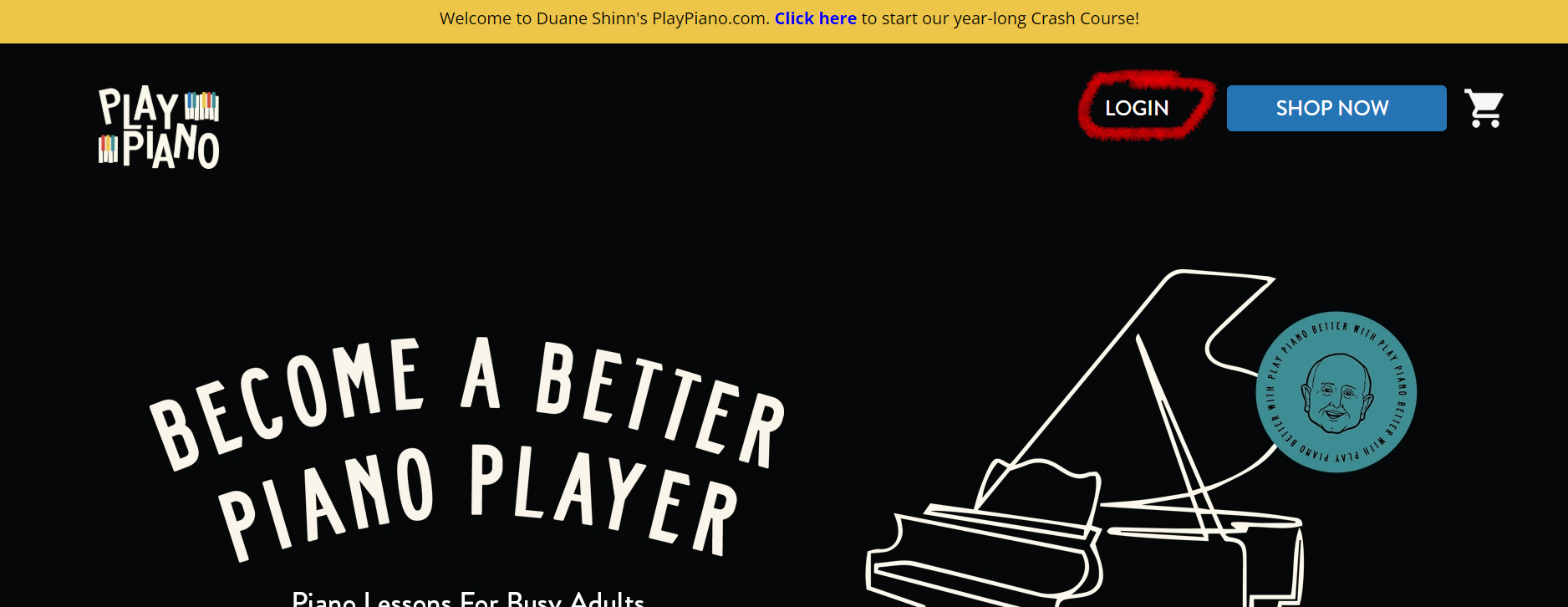
STEP ONE: Go to playpiano.com and click the “LOGIN” button at the top right-hand area of the page.
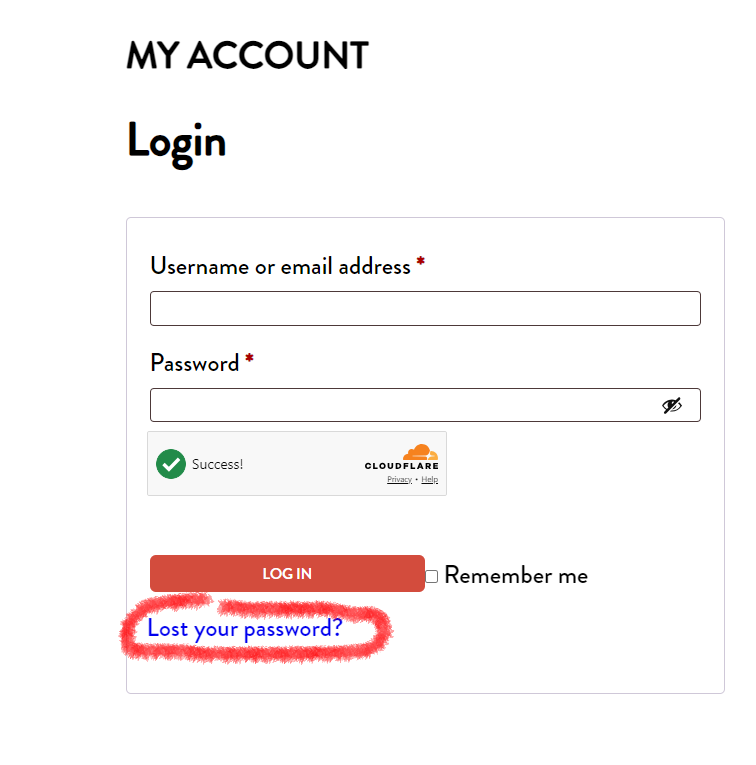
STEP TWO: Now you’re ready to log in by typing in the email address you used when you bought the course. If you can’t remember your password, just click the blue “Lost your password?” link. (If you do this option and don’t see an email in your inbox within a couple minutes, PLEASE make sure to check your junk mail and spam folder for an email with the heading: Password Reset Request for PlayPiano.)
STEP THREE: Now you have arrived at your dashboard. From here, click “Memberships.”
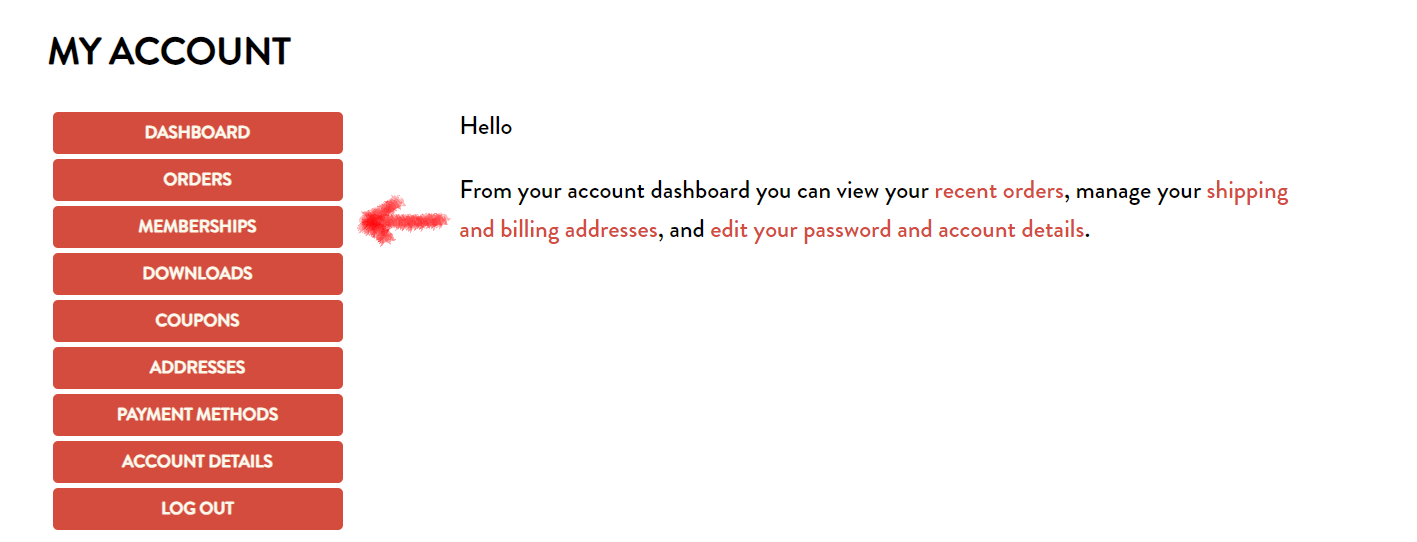
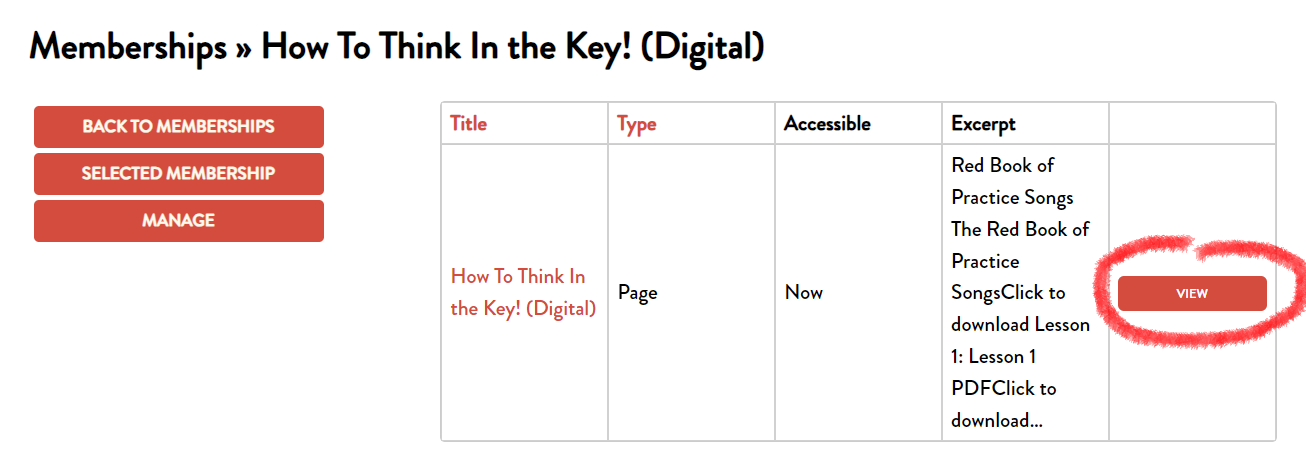
STEP FOUR: You’ll be able to see all your digital courses. Click “View” to view more details of a course.
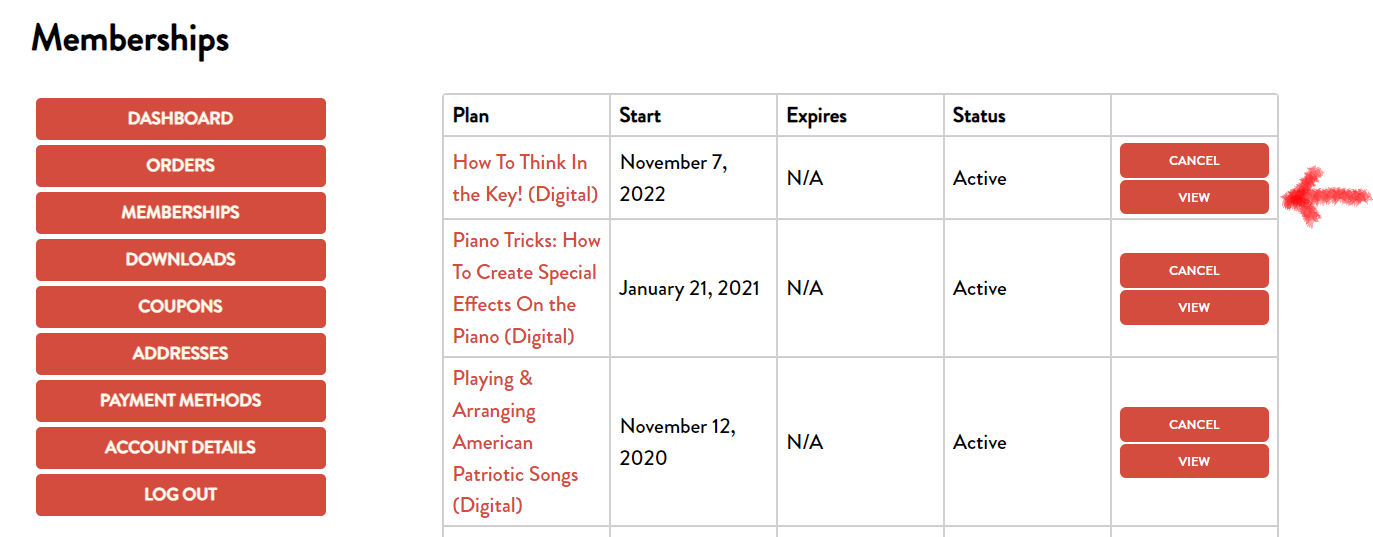
STEP FIVE: Click “View” again to access the course and enjoy!